
Export your transactions from AJ Bell
Download your AJ Bell transaction history as a CSV file, ready to upload to ARIA — in four steps.
AJ Bell offers a CSV download of your transaction history on the web platform (a desktop browser). The mobile app doesn't have an export option, and AJ Bell Dodl has no CSV export at all — for Dodl you'll need to ask the in-app support chat for your data.
You export one account at a time, so if you hold an ISA, SIPP and Dealing account you'll repeat these steps for each.
Log in and find your account
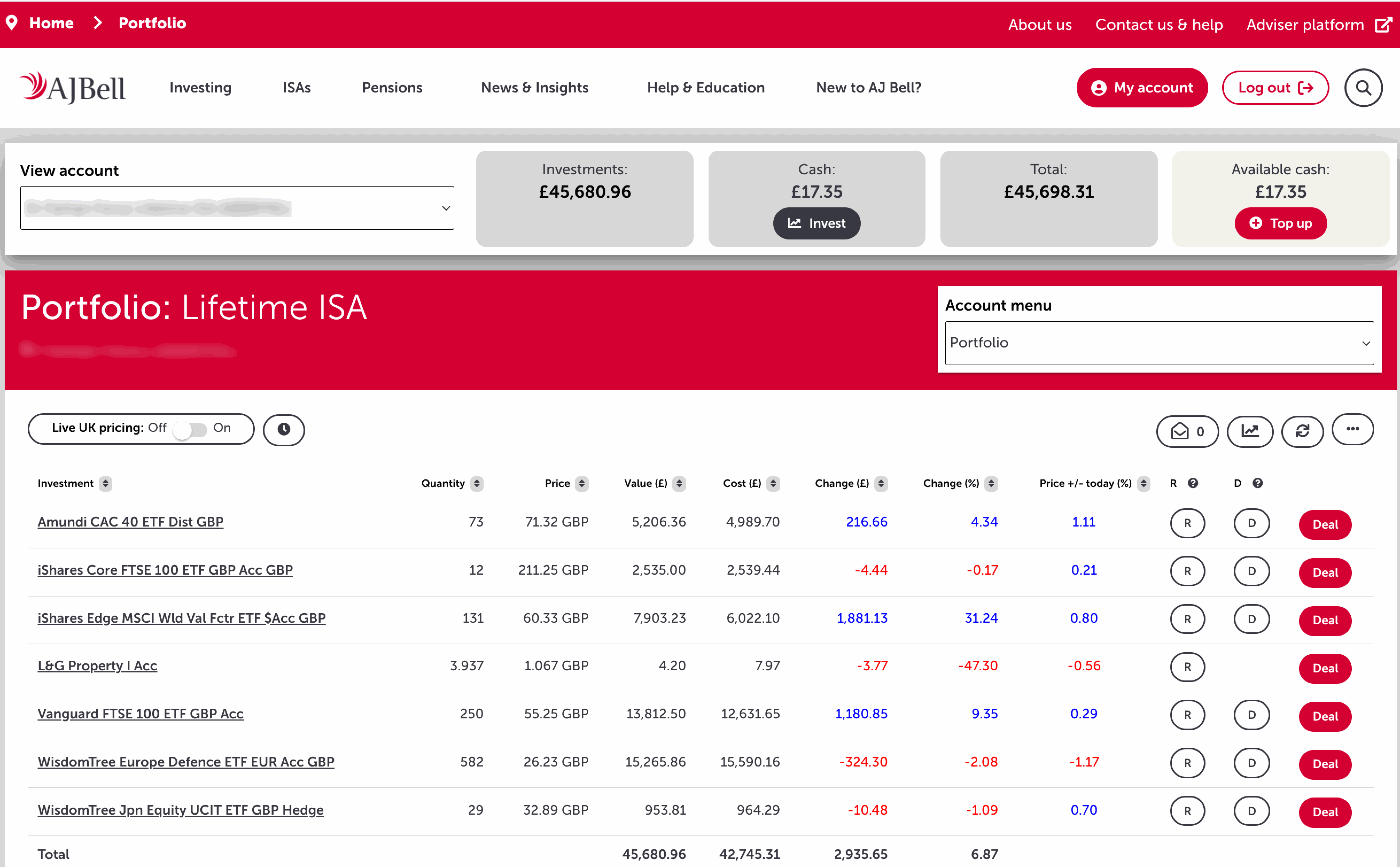
Sign in at ajbell.co.uk on a desktop browser. You'll land on your Portfolio. The account you're viewing is shown top-left under View account — use that dropdown to switch if you hold more than one.
Open your Transaction history
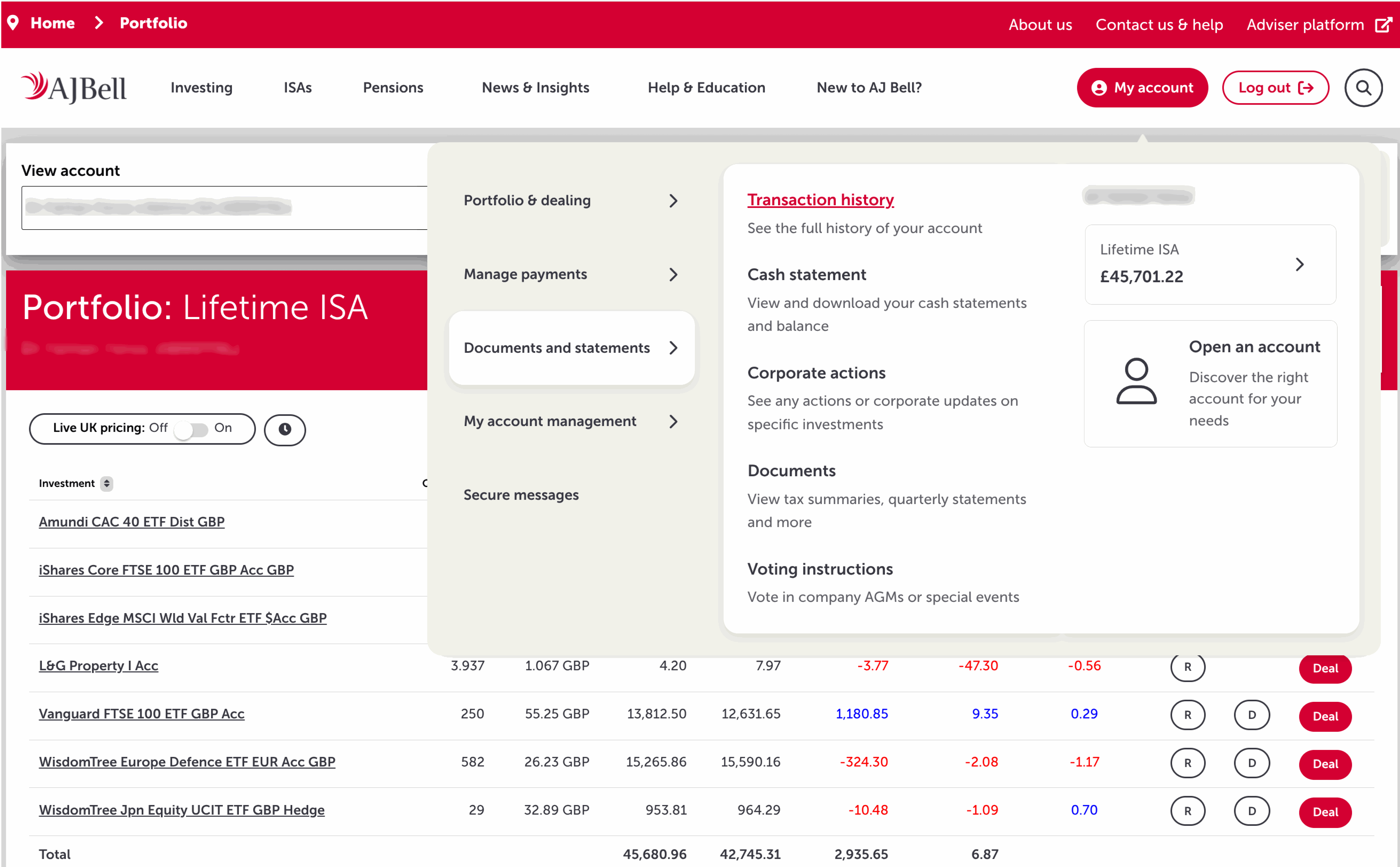
Click My account in the top-right, open Documents and statements, then choose Transaction history.
ℹ️ A separate Cash statement sits in the same menu. If you also want a record of deposits, withdrawals and charges, grab that too.
Set the date range
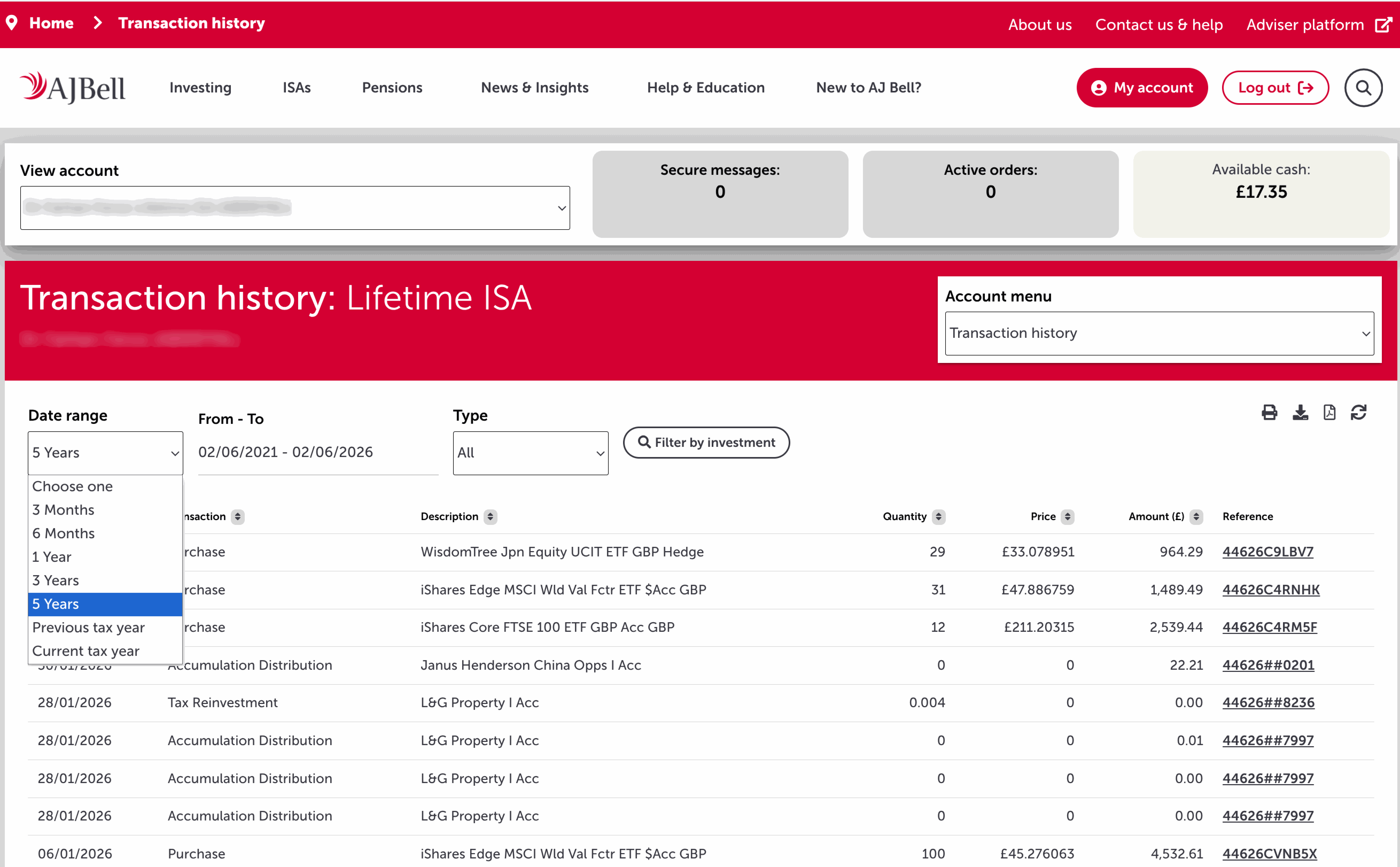
Use the Date range dropdown to cover your full history. Pick the widest option (5 Years), or set the From–To dates back to when you opened the account. Leave Type on All.
Download the CSV
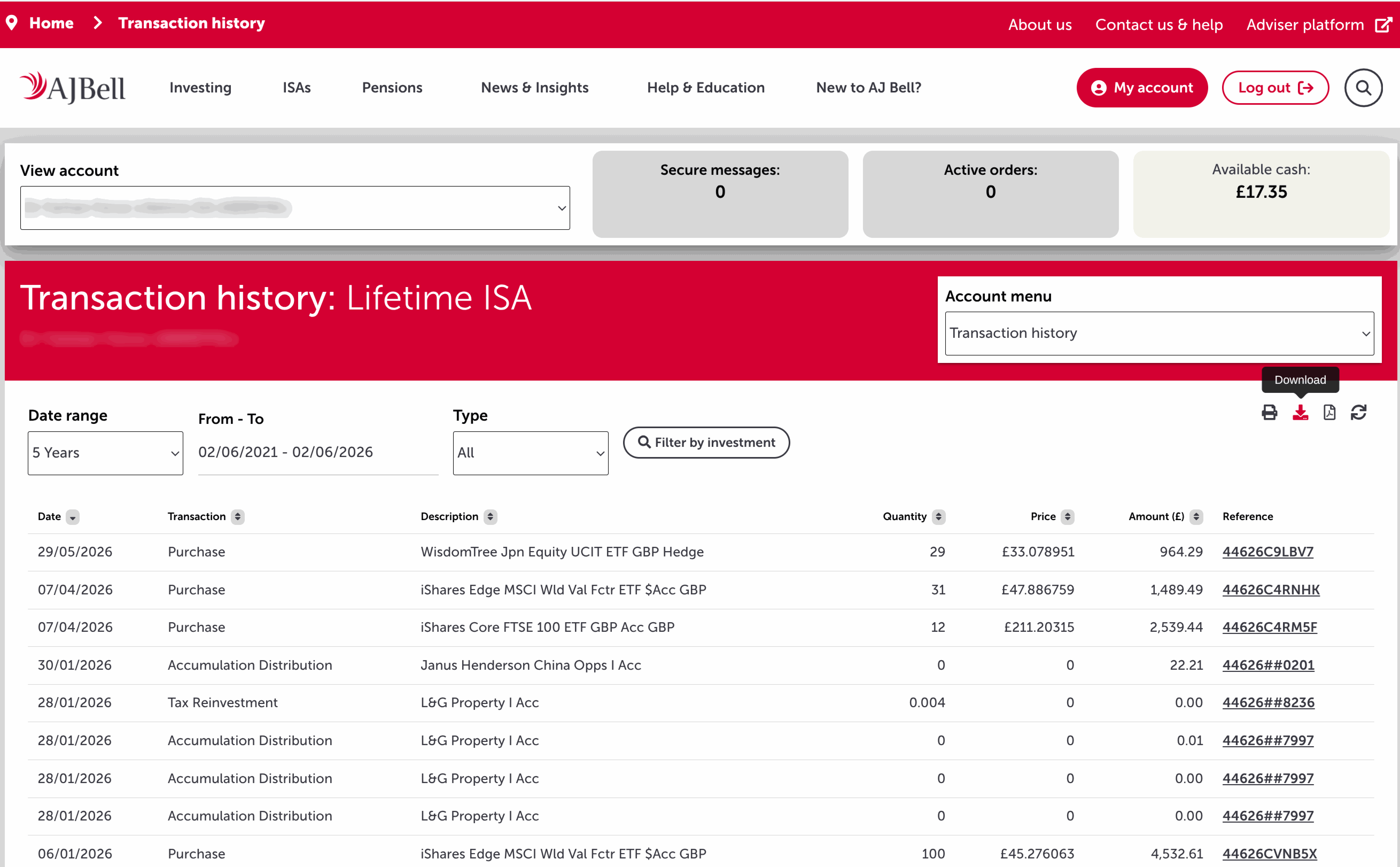
Click the download icon above the table (the down-arrow, next to the print icon) to save your transactions as a CSV.
⚠️ The print icon produces a PDF — ARIA can't read PDFs. Use the download (arrow) icon for the CSV.
Good to know
- Hold more than one account? Repeat these steps for each (ISA, SIPP, Dealing). You'll get one CSV per account — upload each separately and tag it to the right account in ARIA.
- Transferred-in stock. Holdings moved in from another broker may not carry a clean purchase price in the CSV. You can correct any inferred prices on the ARIA upload preview before confirming.
- Overseas shares. AJ Bell shows the GBP value of US and EU trades but doesn't always break out the FX rate on a separate line — ARIA reconstructs it from market data.
Got your CSV?
Upload it to ARIA — we'll detect the format, resolve every ticker and build your portfolio analytics.