
Export your transactions from Trading 212
Download your Trading 212 transaction history as a CSV from the mobile app, ready to upload to ARIA — in three steps.
Trading 212 exports your transaction history as a CSV straight from the mobile app (the web platform has the same export under your account menu → History). You export each account separately — Invest, Stocks ISA, Cash ISA and SIPP are each their own export. CFD accounts can't be exported from the app; contact Trading 212 support if you need that data.
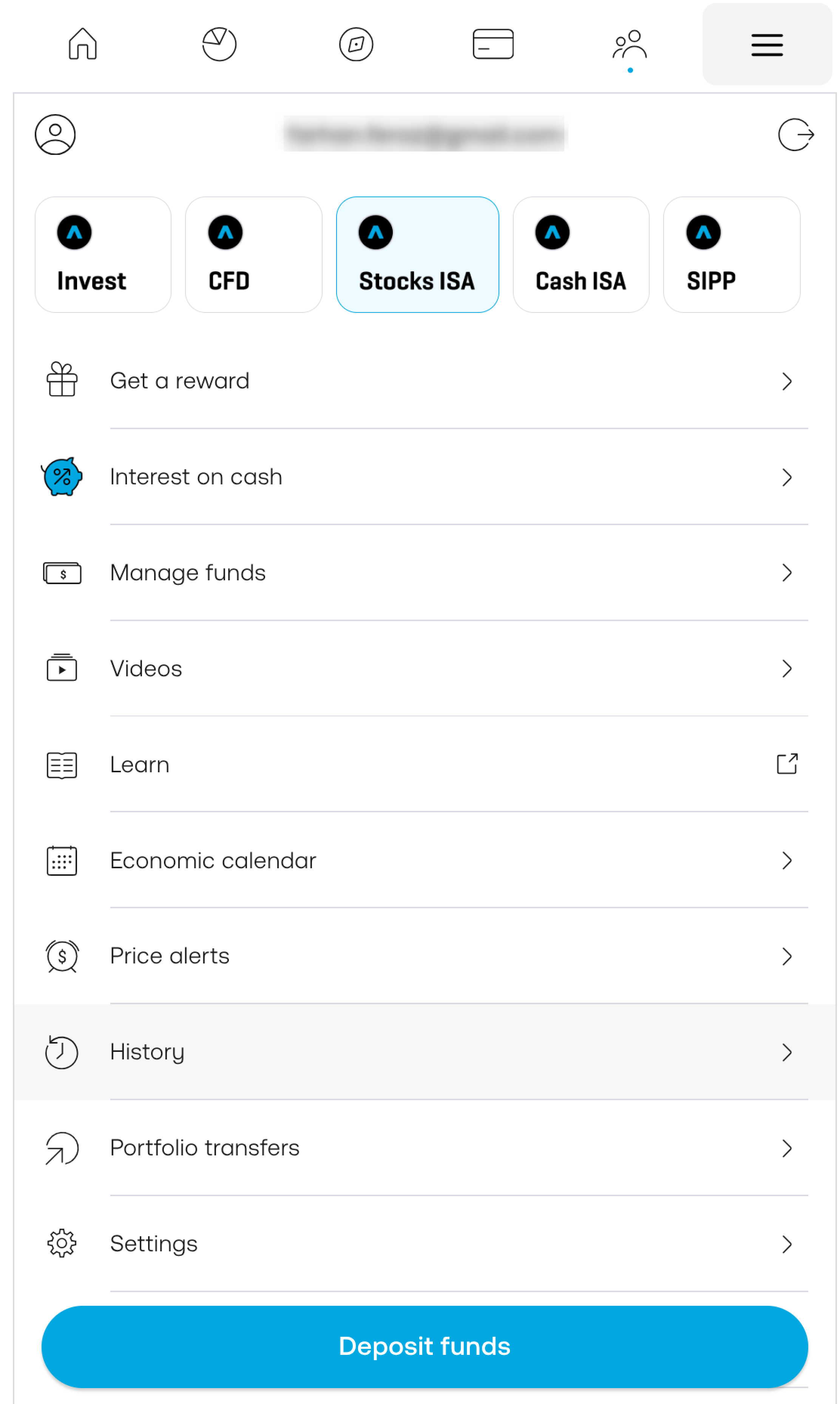
Pick your account and open History
Tap the menu (top-right), then use the account chips along the top to choose the account you want — Invest, Stocks ISA, Cash ISA or SIPP. Now tap History.
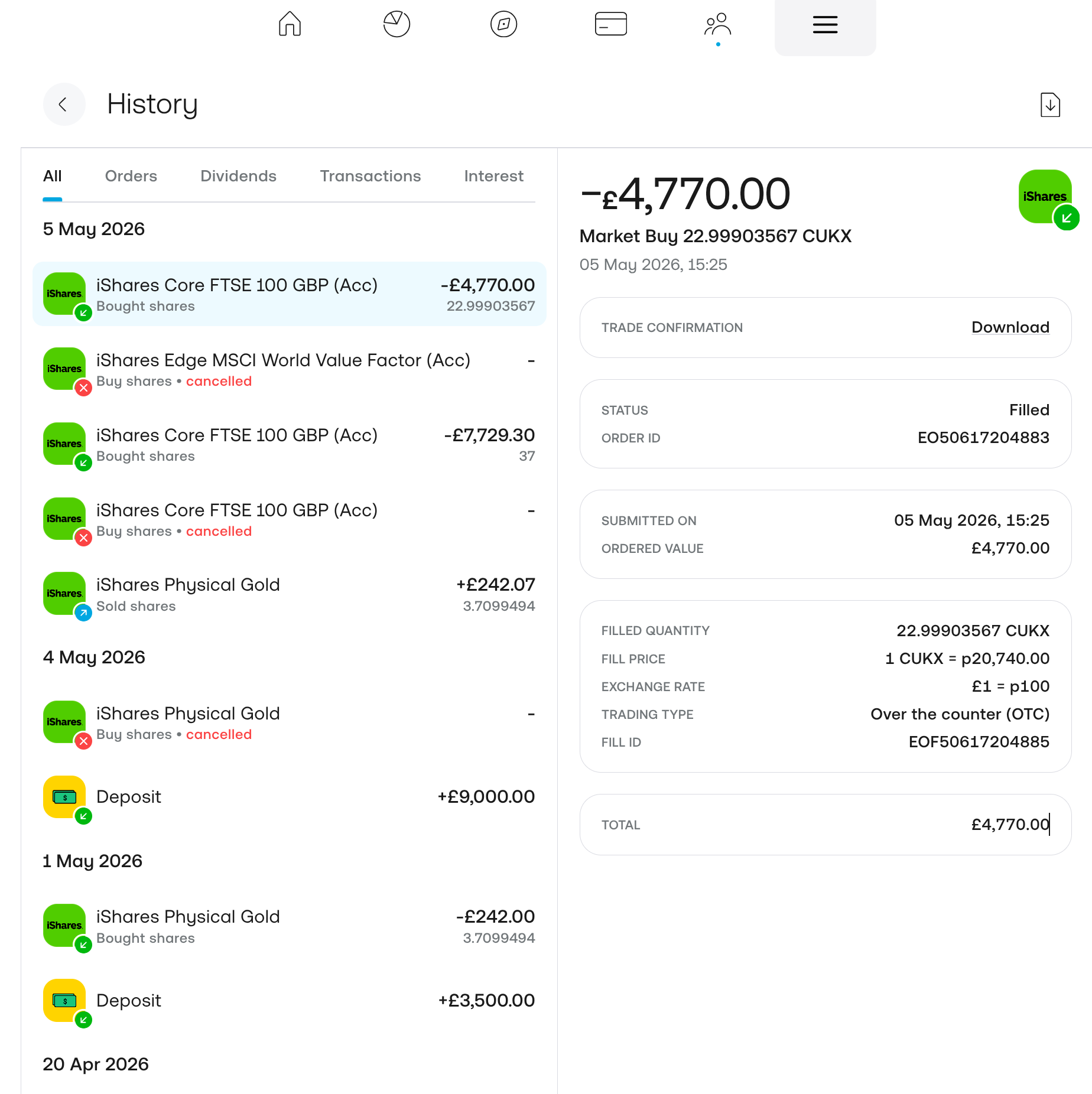
Open the export
On the History screen, tap the export icon in the top-right corner.
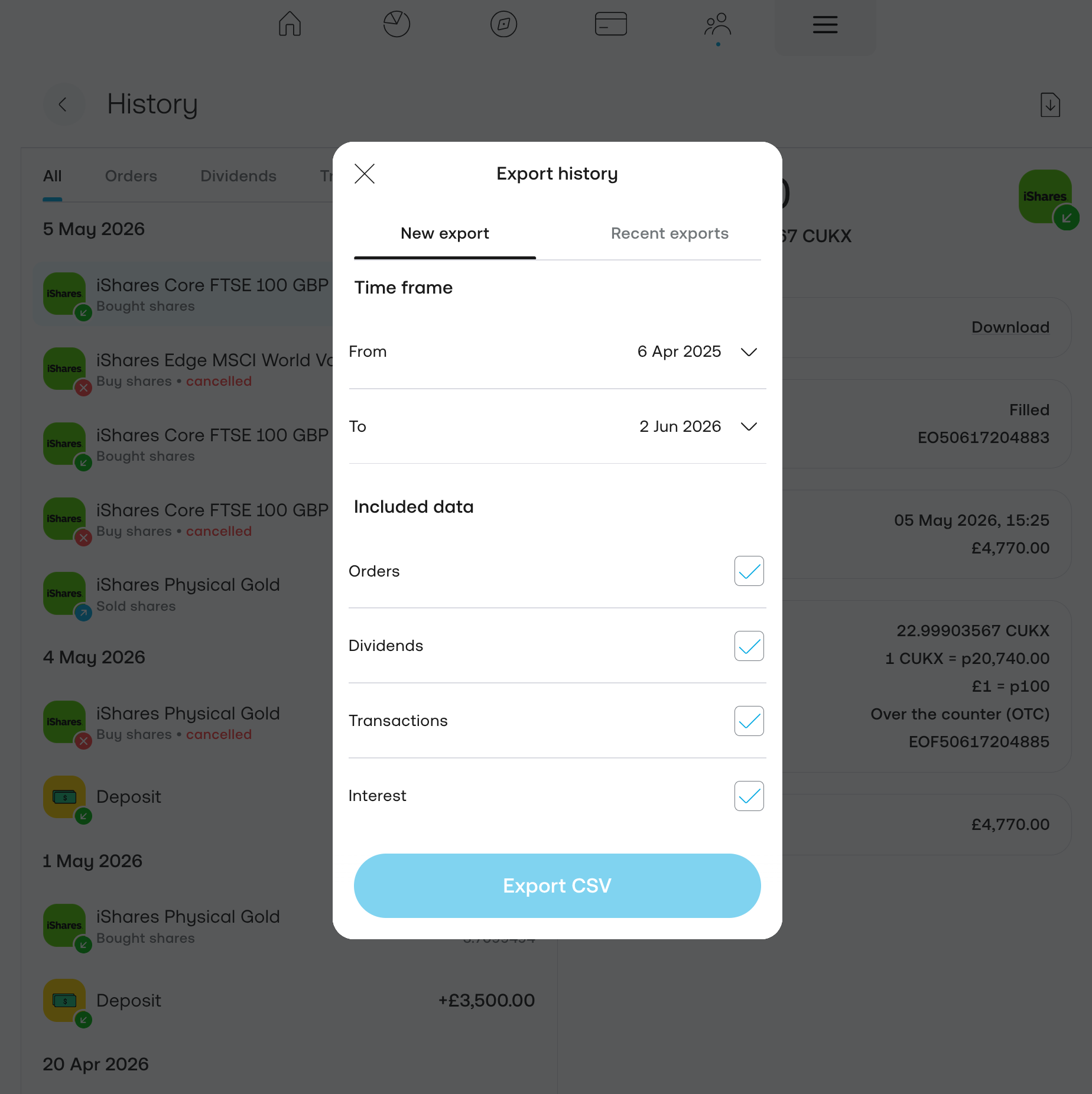
Choose your data and export
In Export history, set the From–To time frame to cover your whole history, make sure Orders, Dividends, Transactions and Interest are all ticked, then tap Export CSV.
ℹ️ Trading 212 prepares the file in the background and notifies you when it's ready — you'll also find it under the Recent exports tab in the same dialog.
Good to know
- Cash actions (deposits, withdrawals, FX conversions, interest) have blank ISIN / Ticker / Name columns. That's normal — ARIA recognises them from the Action column.
- The columns vary by export window. If your range has no UK trades, the Stamp Duty columns drop out; with no FX conversions, those disappear too. Don't stitch multiple CSVs together by hand in a spreadsheet — upload each file and let ARIA merge them.
- There's no importable PDF statement. The legacy monthly PDF isn't a substitute for the CSV.
- Commas in company names can misalign cells if you open and re-save the file in Excel. Upload the original downloaded CSV — ARIA parses it correctly.
Got your CSV?
Upload it to ARIA — we'll detect the format, resolve every ticker and build your portfolio analytics.